job application tracker app · iPhone and Android
Every application, and the resume that went with it.
Save a posting, tailor a resume for it, mark it applied. When the employer calls, the version they read is one tap away, and the app reminds you to follow up if they go quiet.
Free to start. No card. iPhone on iOS 16.4 or later, and Android. Or start in the browser.
01 — On your phone
What the app does for your search.
- 01
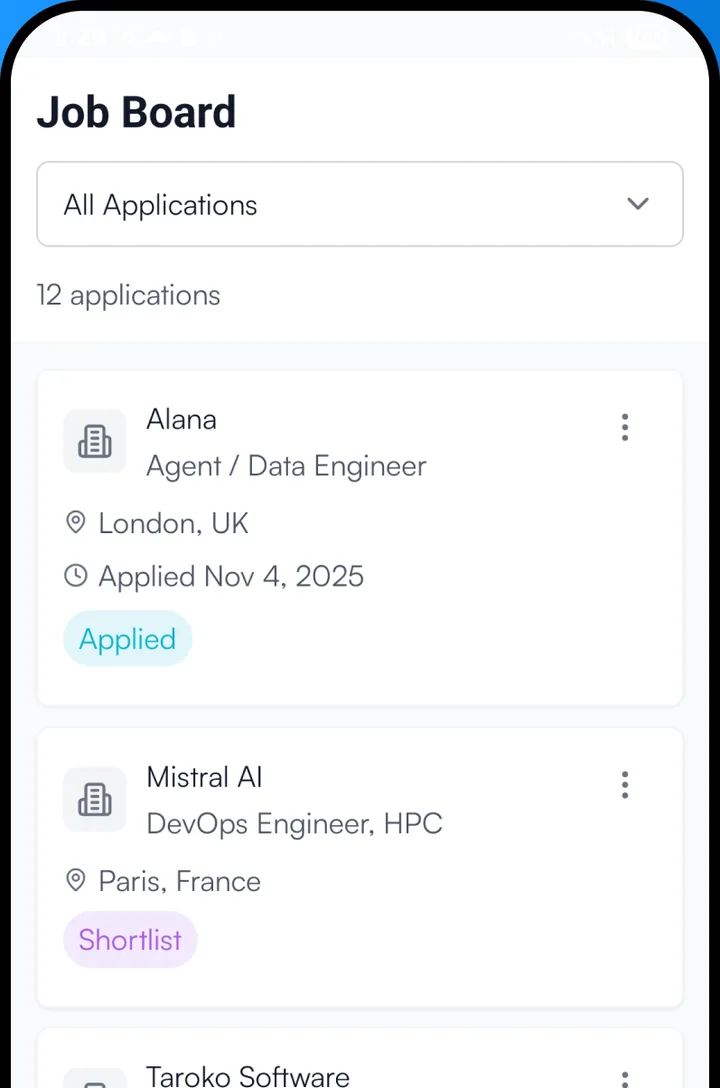
Saved, applied, interviewing, offer
Each job moves through Saved, Applied, Interviewing, Offer or Rejected with one tap. Filter the applied list by stage to see what is live and what has gone cold.
- 02
Tailor from the job itself
Open any tracked job and tap "Tailor for this job", with a cover letter for the same company if you want one. Both are saved on that job, next to every earlier version.
- 03
The keyword match, per job
Each job shows how many of the posting’s terms your resume contains, so you can see what tailoring changed before you send it.
- 04
A follow-up reminder you do not have to set
Five to fourteen days after an application goes out with no follow-up written, the app sends one reminder for it. Nothing to schedule.
- 05
Jobs come in two ways
Add a posting by pasting its link or its text, or copy the link in any app and Resume Master offers to save and tailor for it when you open it.
02 — Why a tracker with resumes in it
A spreadsheet knows where you applied. This knows what you sent.
When you apply to several jobs a week, each with its own version of your resume, the question that matters on the phone call is which version that employer read.
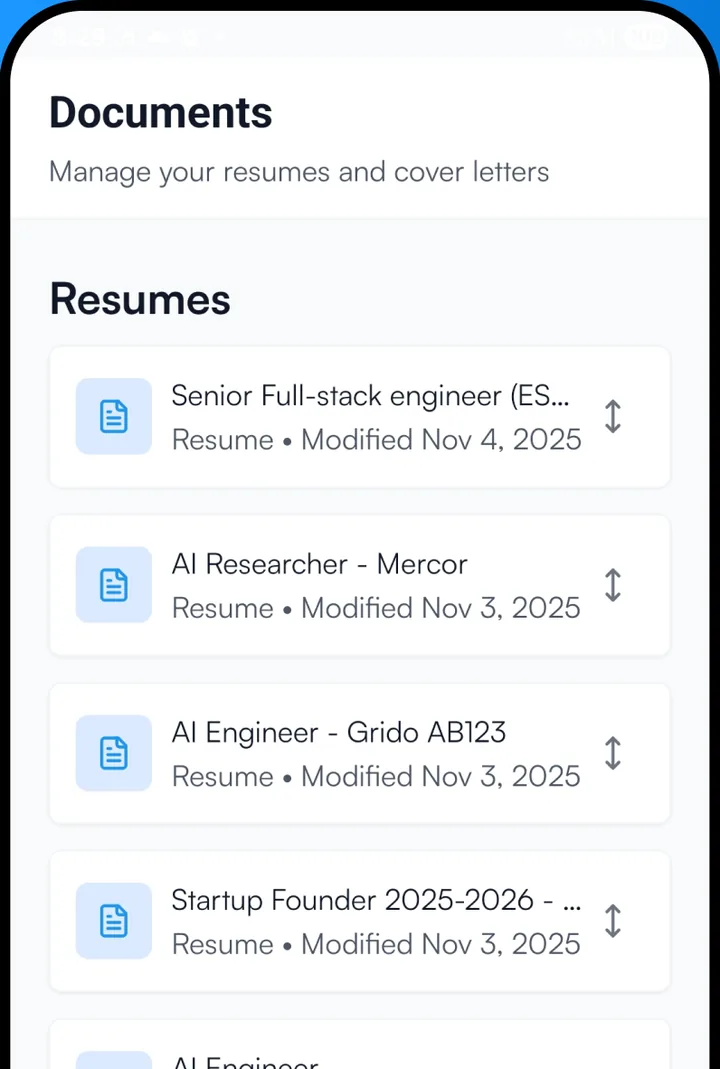
Version and posting, kept together
Every tailored resume and cover letter is linked to the job it was written for, so the one that worked for one application is never overwritten by the next.
Your Search on the home screen
Follow-ups due and your recent resumes sit at the top of the app’s home, above the assistant, so the next thing to do is the first thing you see.
The same tracker on the web
Everything you track on the phone is on app.resumemaster.net too, for the evenings at the laptop, with the same stages and the same resumes.
03 — Price
Free to start, one price everywhere.
The app is free to download, with every template and PDF export. Premium, for tailoring to as many postings as your search needs and new matches every day, is $12.99 a month or $49.99 a year, the same on the web, iPhone and Android. There is no timed trial to remember to cancel. See pricing.
04 — Questions
About the job application tracker app
What is the best way to track job applications?
Keep the posting, the stage, the date you applied and the exact resume you sent in one place, and set a follow-up for a week or so later. A spreadsheet holds the first three; an app built for it holds all of them and does the reminding.
Is the job tracker free?
Yes. Tracking applications is free with any account. The free AI allowance tailors a resume to one real posting; Premium removes the limit.
Can I add jobs from LinkedIn or Indeed?
Yes. Paste the link or the posting text into the app, or copy a job link and open the app to be offered it. Some sites block reading a posting; then pasting the description works.
Does it remind me to follow up?
Yes, once per application, five to fourteen days after you mark it applied, if you have not written a follow-up yet. It needs notifications switched on.
Does the tracker apply to jobs for me?
No. It keeps track of what you sent and preps what you ask for; applying is always yours.
Take your search with you.
The next posting turns up when you are away from the laptop. Have the resume for it ready before you are back.