resume builder app · iPhone and Android
Your job search, on your phone.
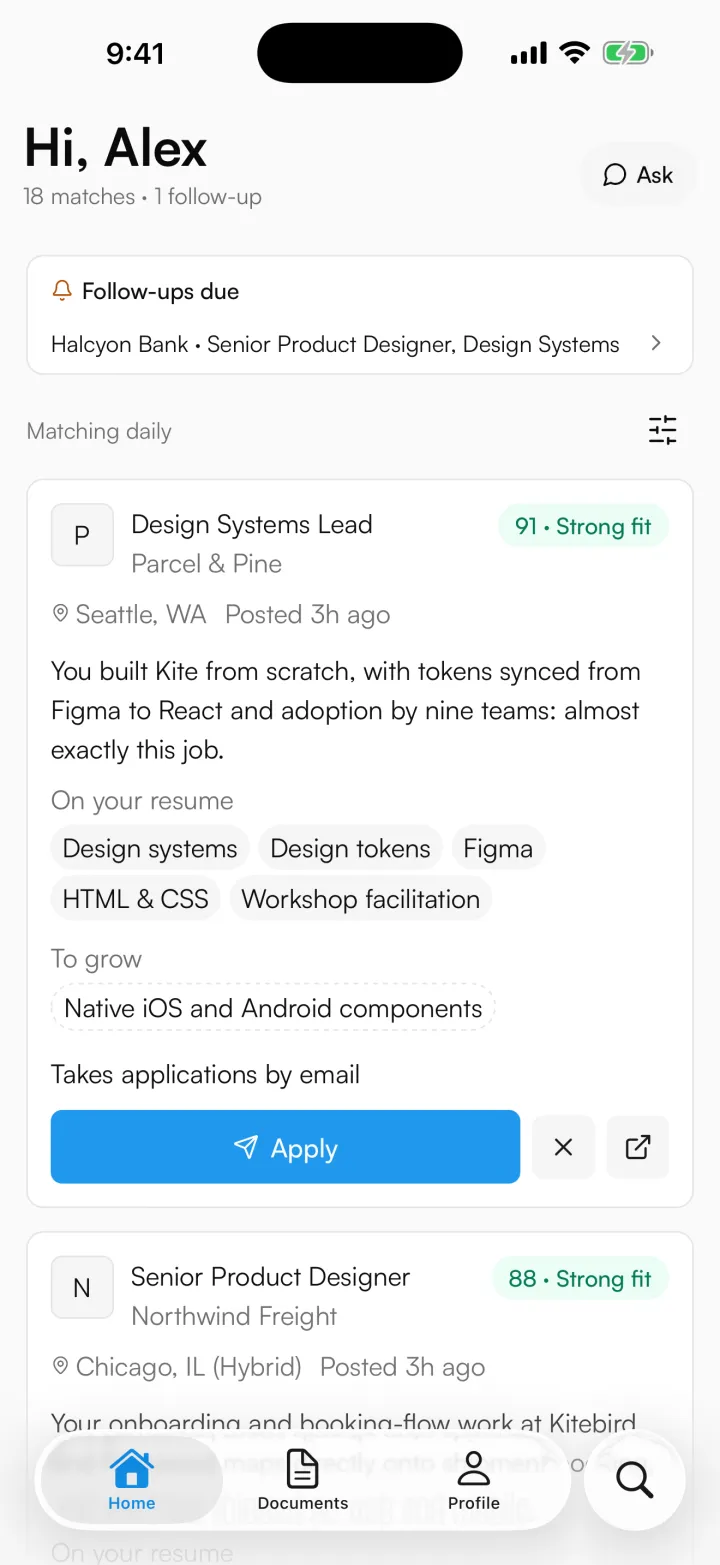
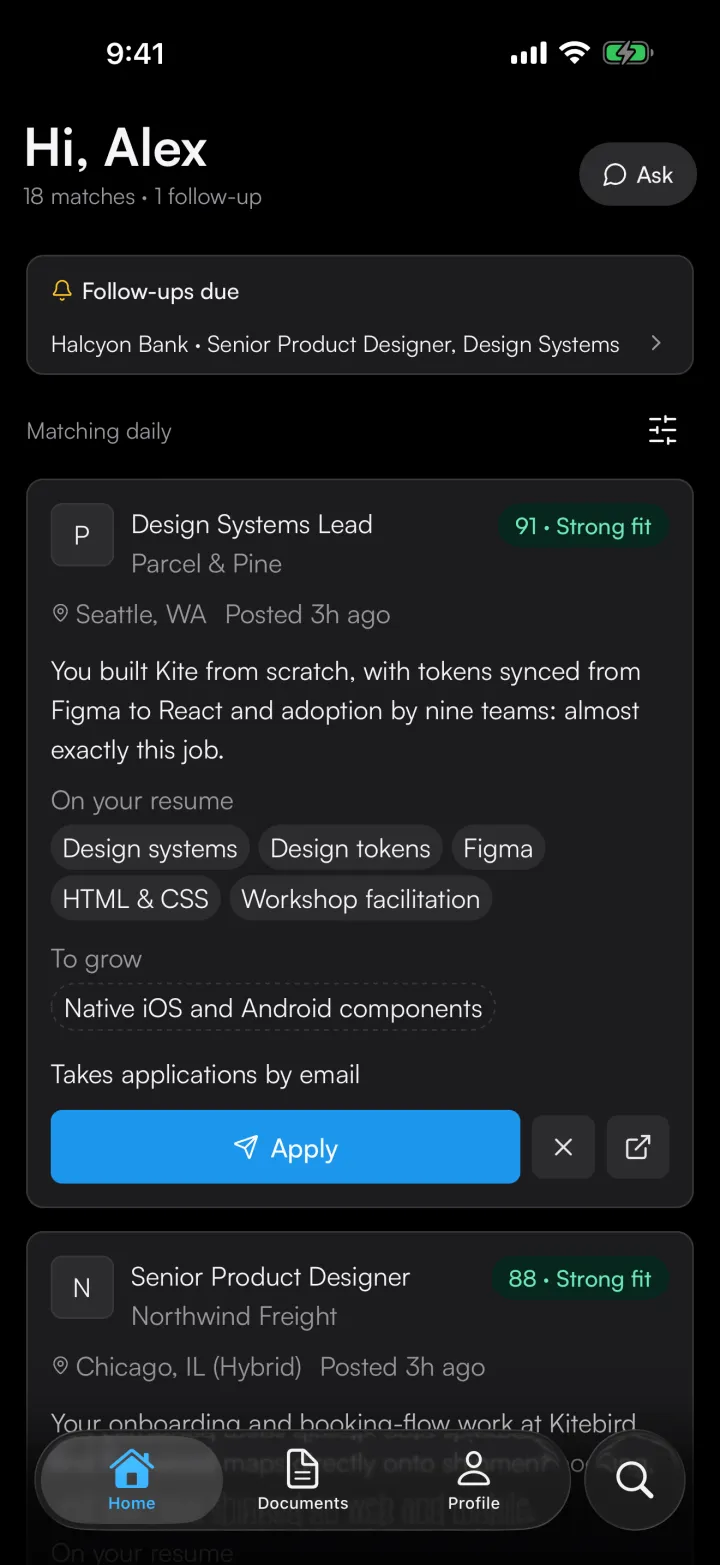
Home is the jobs that fit your resume, each with a fit score and why. Tap Apply for a resume and cover letter written for that posting, share a posting from Safari or LinkedIn, and get a nudge when an application is due a follow-up. Same account as the web.
Free to start. No card. iPhone on iOS 16.4 or later, and Android. Or start in the browser.
Version 1.4.0, 6 November 2026. What's new
01 — See it work
A match in, an application out.
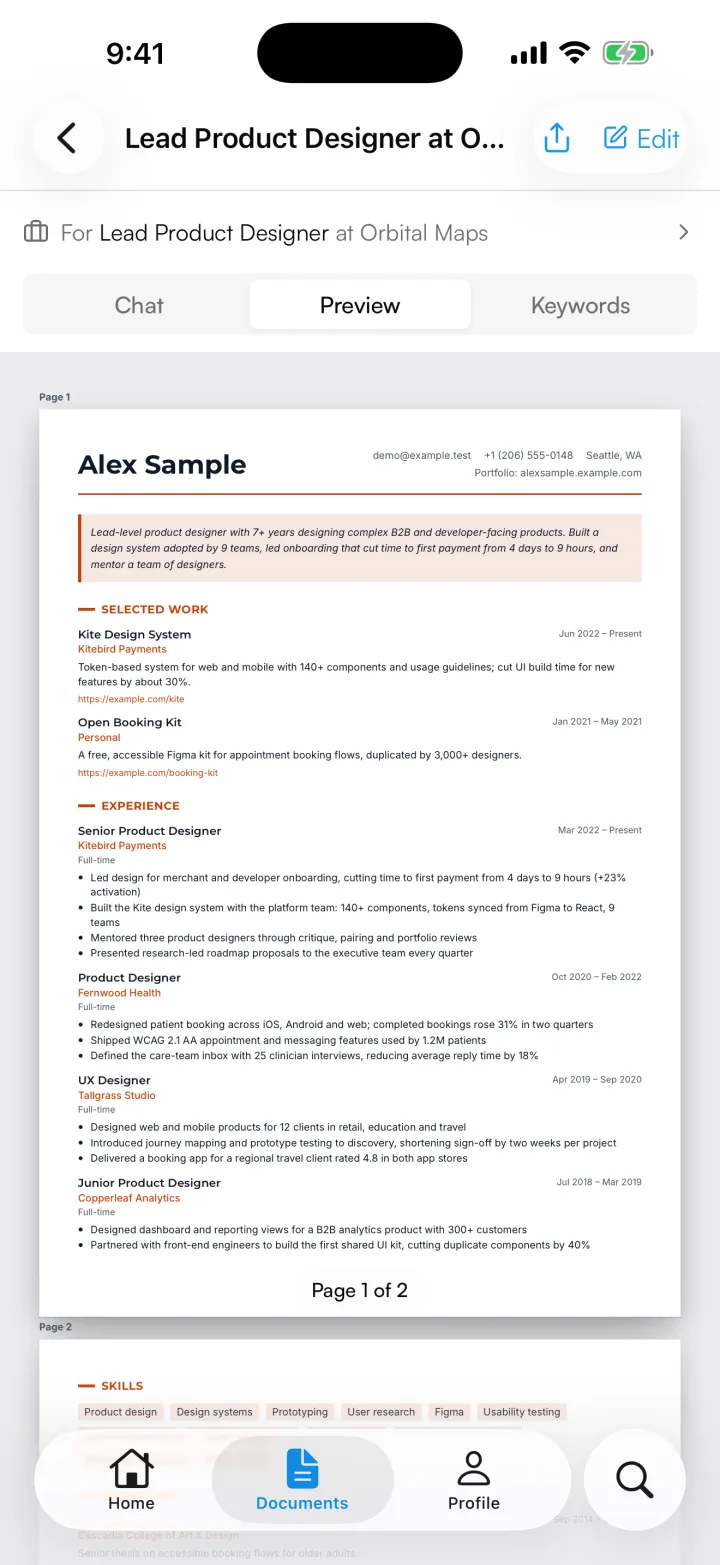
Recorded in the iPhone app, on a demo account.
- 01Home lists the jobs that fit your resume, each with a fit score and why.
- 02Tap Apply on a match.
- 03Your application: a resume and cover letter written for that posting, and what was tailored.
- 04Read the resume, then open the posting and send it yourself.
02 — On your phone
What the app does for your search.
- 01
Matches that say why
Tell it the roles, places and skills you are after. Home lists the postings that fit your resume, each with a fit score, the skills you already have and the gaps to close. When new matches land you get one notification, never a stream of them; the daily digest is an email.
- 02
Apply, then you send it
Tap Apply on a match and the app writes a resume and a cover letter for that posting and shows what it tailored. You read both, then open the posting or send it from your own email. Nothing goes out without you.
- 03
Share a posting to the app
On a posting in Safari, Chrome, LinkedIn or Indeed, tap Share, then Resume Master. The app opens on Add a job with the posting, ready to read. LinkedIn sometimes blocks the read; then paste the posting’s text. Copying a job link and opening the app works too.
- 04
A nudge to follow up
Set a follow-up reminder on any application, or let the app remind you once, five to fourteen days after it goes out with no follow-up written, so nothing you applied to goes quiet by accident.
- 05
Edit by asking
Ask for a change in plain words ("shorten the summary", "lead with the Python work") and watch the page update as you talk. The full editor is there too, for every section.
- 06
The PDF goes where you send it
Export a print-ready PDF on any of the templates and hand it to Mail, Files, AirDrop or any other app from the share sheet.
03 — Phone and web
One account, wherever you are when the posting turns up.
The app and app.resumemaster.net are the same account. Start a resume on the laptop, fix a line on the train, send it from either.
Sign in the way you like
Sign in with Apple on iPhone, with Google, or with a six-digit code sent to your email. The same email reaches the same resumes on every device.
Bring the resume you have
Upload your current resume as a PDF and the app reads it into your profile, or start a new one from scratch in the editor.
Prepped, never sent for you
When a match is worth it, the app preps a tailored resume and cover letter for that posting. Nothing goes out until you send it: on the employer’s site, from your own email, or as a PDF.
04 — Price
Free to start, one price everywhere.
The app is free to download, with every template and PDF export. Premium, for tailoring to as many postings as your search needs and new matches every day, is $12.99 a month or $49.99 a year, the same on the web, iPhone and Android. There is no timed trial to remember to cancel. See pricing.
05 — Questions
About the resume builder app
Is the Resume Master app free?
Yes, to download and to start. A free account holds three resumes and three cover letters, with every template and PDF export, and enough AI to improve your resume and tailor it to one real posting. Premium removes the limit on tailoring and matches you to new postings every day.
Does the app cost more than the website?
No. Premium is the same price on the web, on iPhone and on Android. In the app it is billed by the App Store or Google Play, and you cancel it there.
Which phones does it run on?
iPhone on iOS 16.4 or later, from the App Store, and Android phones, from Google Play.
Will my resumes from the website be in the app?
Yes. Sign in with the same email and every resume, cover letter and tracked application is there. Changes on one show on the other.
Does the app read my clipboard all the time?
No. When you bring the app to the front it first asks the system whether the clipboard holds a link at all, which does not read it. Only then does it read the link, to check that it looks like a job posting, and iOS shows its usual paste notice when it does. The link reaches us only if you choose to tailor for it, and each posting is offered once.
Can I share a job posting to the app?
Yes. Share it from Safari, Chrome, LinkedIn or Indeed on iPhone or Android and the app opens on Add a job with the posting. If LinkedIn blocks the read, the app asks you to paste the posting’s text.
Does the app apply to jobs for me?
No. Apply preps an application for a posting you choose, a resume and cover letter written for it, but you read it and send it yourself.
Take your search with you.
The next posting turns up when you are away from the laptop. Have the resume for it ready before you are back.