Data Entry Clerk Resume Example

Data entry hiring comes down to two numbers and one habit: how fast you type, how accurate you are, and whether you catch problems before they spread. A data entry clerk resume should give those numbers early and back them with the systems, documents and volumes you handle every day.

The Sample resume below belongs to a data entry clerk with five years in freight billing and medical billing offices. The bullets show records per day, keystrokes per hour, error rates found in audits, the software used (Excel, ERP and billing systems) and the small improvements that saved a team time, such as templates and validation checks. Those are the details a supervisor can verify with a typing test or a reference call.

Most data entry postings get many applicants, so use the exact words in each posting and keep the layout simple. The administrative assistant example shows a broader office role to grow into, the administrative hub lists more, and the ATS-Optimized template reads cleanly in every portal.

Updated . The person and employers in this Sample resume are fictional.

Data Entry Clerk sample resume

Terrell Ashworth

Data Entry Clerk, Billing and Records

Harrisburg, PAterrell.ashworth@example.com(717) 555-0193

Summary

Data entry clerk with five years of experience processing billing, shipping and patient account records in high-volume offices. Types 75 words per minute and keys about 12,000 keystrokes an hour, with an accuracy rate above 99.5 percent in quarterly audits. Comfortable in Excel, ERP systems and billing software, and careful with confidential information.

Experience

Data Entry Clerk, Mapleton Freight Services

– Present

Harrisburg, PA

  • Enter 400 to 500 bills of lading, delivery receipts and carrier invoices a day into the company's ERP system.
  • Keep a 99.7 percent accuracy rate in monthly audits, the highest on a team of six clerks for the last two years.
  • Built an Excel lookup that flags duplicate invoice numbers before entry, which stopped about 30 duplicate payments a quarter.
  • Cover the accounts payable inbox during vacations, matching invoices to purchase orders.
Data Entry Specialist, Brindlewood Medical Billing

–

Camp Hill, PA

  • Keyed patient demographics, insurance details and charge codes for four physician practices, about 300 accounts a day.
  • Corrected rejected claims by tracing entry errors back to intake forms and fixing them within the billing deadline.
  • Scanned and indexed paper records for a digital records project, completing 18,000 files ahead of schedule.

Education

Certificate in Office Technology

Conewago Community College, Harrisburg, PA

Skills

  • Typing 75 WPM
  • 10-key data entry
  • Microsoft Excel (VLOOKUP, filters, data validation)
  • ERP data entry
  • Medical billing software
  • Document scanning and indexing
  • Invoice and purchase order matching
  • Data verification
  • HIPAA and confidentiality
  • Google Sheets
  • Records management

Certifications

  • Microsoft Office Specialist: Excel Associate, Microsoft,
Start yours from this example

Bring your own resume or start blank, then tailor it to each posting in about two minutes.

Use this example

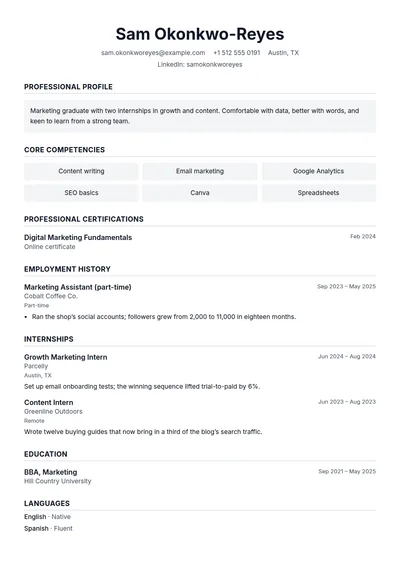
Templates for the data entry clerk resume

All templates

How the resume changes with experience

The same data entry clerk resume, written at three levels: a summary and three bullets for each.

Entry level

Zero to two years, or a first role in the title

Detail-oriented data entry candidate with strong typing speed, an office technology certificate and experience keeping records for a school club.

  • Type 60 words per minute with high accuracy, confirmed by a timed test.
  • Kept attendance and dues records for a 70-member student organization in Google Sheets.
  • Completed an office technology certificate covering Excel, filing systems and 10-key.

Mid level

Three to seven years, owns a process or a workload

Data entry clerk with three years in a busy billing office, fast, accurate and trusted with confidential patient and payment records.

  • Process about 250 records a day with very few corrections in audits.
  • Handle scanning and indexing for the office's incoming mail.
  • Train temporary staff on the team's entry checklist during busy seasons.

Senior

Eight years or more, leads people, budgets or programs

Data entry lead and records coordinator with nine years of experience, running a team's daily volume, quality checks and data cleanup projects.

  • Assign daily work to five clerks and review samples of each person's entries.
  • Led a cleanup of 40,000 vendor records before the company changed ERP systems.
  • Wrote the team's entry standards and trained every new hire on them.

Skills to put on the data entry clerk resume

Hard skills

Typing speed and 10-key
Most employers test speed on the spot, so state your words per minute or keystrokes per hour and be ready to match them.
Accuracy and verification
One wrong digit can send a payment or a shipment to the wrong place, which is why audited accuracy matters more than speed alone.
Excel
Lookups, filters and data validation let a clerk find and prevent errors, and many postings list Excel by name.
Business systems such as ERP or billing software
Naming the kinds of systems you have used tells a supervisor how quickly you will learn theirs.
Document handling and indexing
Scanning, naming and filing records correctly keeps them findable, which saves hours for everyone else.
Confidentiality
Clerks often see medical, financial or personal data, and employers need to trust your handling of it.

Soft skills

Focus over long stretches
Data entry is repetitive, and steady concentration is what keeps accuracy high at the end of a shift.
Attention to detail
Spotting a mismatched number or a missing field before it is saved is the core of the job.
Asking before guessing
Unclear source documents are common, and a clerk who checks instead of guessing prevents costly mistakes.

Mistakes that cost data entry clerk interviews

  1. No speed or accuracy numbers

    Fast and accurate appears on every data entry resume. Give your words per minute or keystrokes per hour, and an accuracy figure from audits or a typing test.

  2. Forgetting the systems and documents

    Say what you entered and where: invoices into an ERP, patient accounts into billing software, orders into a spreadsheet. It helps a supervisor picture you in their office.

  3. Leaving out improvements

    Templates, checks and shortcuts that saved time or prevented errors show judgment beyond typing. One bullet like that sets you apart from other applicants.

  4. Typos on a data entry resume

    A single typo undermines a claim of accuracy. Proofread slowly, read the page aloud and check every number and date.

  5. A fancy layout

    Many data entry roles receive large numbers of applications through tracking systems. Use a plain, single-column layout and the posting's keywords.

Questions about the data entry clerk resume

What typing speed should I put on a data entry resume?

Put your real, tested speed. Many postings ask for 40 to 60 words per minute or a keystrokes-per-hour figure; state yours and any 10-key speed you have measured.

How do I write a data entry resume with no experience?

Lead with typing speed, computer skills and any certificate, then add school, volunteer or job tasks that involved records, spreadsheets or careful checking.

What skills matter most for a data entry clerk?

Typing and 10-key speed, accuracy, Excel, familiarity with business software, confidentiality and steady focus. Match the order to the posting.

Is data entry a good way into an office career?

Yes. Many clerks move into billing, accounts payable, records or administrative roles. Show interest in the business behind the data on your resume.

Should I list remote work experience for data entry jobs?

Yes. If you have worked remotely, say so and mention your setup and reliability, since many data entry roles are remote or hybrid.

Every application goes out fitting the job.

Paste a posting, get a resume rewritten for it in two minutes.

Tailor your resume — free

Free to start. No card. Same price on web, iOS and Android.